
TL;DR
No time to read the whole guide? Here’s your cheat sheet:
| Creator Type | Recommended Phone | Key App | Essential Accessory |
| All-Round Pro | iPhone 17 Pro Max | CapCut / LumaFusion | DJI Osmo Pocket 3 |
| YouTube Vlogger | Samsung Galaxy S25 Ultra | Premiere Rush | External Lapel Mic |
| Budget Starter | Google Pixel 10 Pro | Canva | Clip-on Selfie Light |
Introduction
Want to actually stand out as a creator in 2026? Ditch the generic advice. This is a focused breakdown of smartphones, essential content creator apps, and must-have vlogging gear to turn raw clips into legit attention-grabbers. Everything you need fits in your pocket.
Forget the old idea that you need a studio. Today’s phones can produce fire content, period. The real challenge is choice – too many devices, too many tools. Your setup needs to be strategic, not just powerful.
Your specific niche dictates your gear. A TikTok storyteller and a YouTube documentarian require different tech. The 2026 scene is oversaturated; your technical choices are critical for cutting through the noise. We’re filtering the specs and features that deliver tangible results, avoiding hypotheticals. Your move.
Choosing Your Content Creation Smartphone
Your phone is ground zero. It’s a camera, an editor, and a publisher all housed in that sleek device you carry. But specs get relentless. Forget the marketing fluff – let’s talk about what truly matters.
Key Specs That Actually Matter for Creators
Not all megapixels are created equal. Here’s what separates a decent phone from a best phone for video contender:
Camera & Video Capabilities
- Sensor size matters more than megapixel count (larger sensors = better low-light performance)
- Look for dual OIS + EIS stabilization for smooth handheld shots
- 4K/60fps minimum; 4K/120fps is ideal for buttery slow-motion b-roll
- LOG or RAW video support if you’re serious about color grading
Processing Muscle
- Flagship chipsets (A19 Pro, Snapdragon 8 Gen 4) handle real-time editing without lag
- Minimum 12GB RAM for smooth multitasking between apps
- This stuff matters when you’re editing 4K timelines on a train
Storage Reality Check
- Start at 256GB, period. 4K video eats storage like candy
- Cloud storage helps, but you need local space for active projects
Battery & Display
- All-day battery life is non-negotiable when filming on location
- Bright, color-accurate screens (1000+ nits) let you edit outdoors without guessing
Top Smartphone Picks for 2026
Apple iPhone 17 Pro Max
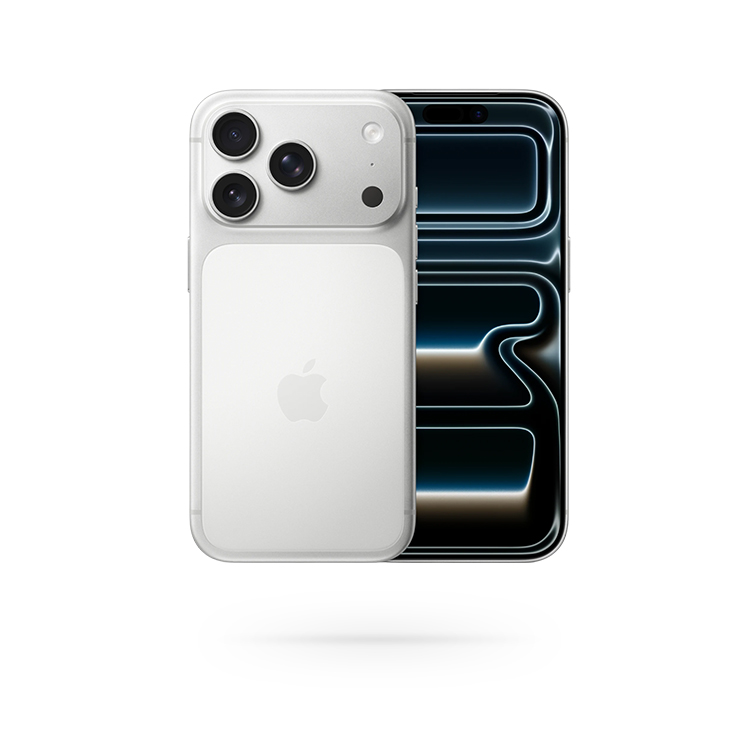
The Apple iPhone 17 Pro Max remains the definitive choice for professionals fully committed to Apple’s ecosystem. Its ability to capture 4K/120fps Dolby Vision footage delivers a genuinely cinematic image right from the start – no grading needed. For post-production flexibility, you have ProRes and LOG recording at your fingertips. Timeline scrubbing in apps like LumaFusion is effortless; the A19 Pro chip handles it without a stutter. The multi-camera sync feature is particularly slick, eliminating clapboards and headaches for multi-angle shoots. This device is for working creators who prioritize a dependable, integrated workflow with their MacBook/iPad over experimentation.
Samsung Galaxy S25 Ultra
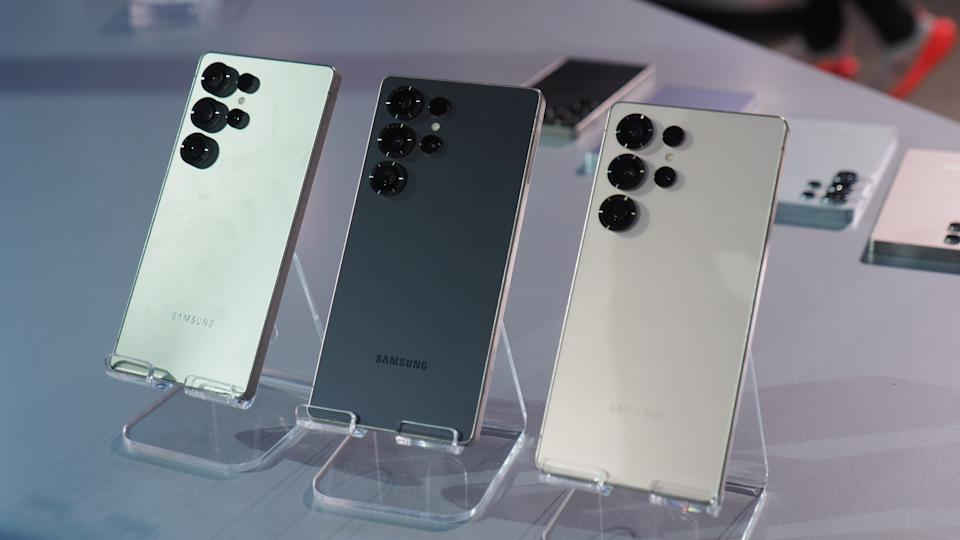
The Samsung Galaxy S25 Ultra is a creator’s toolkit, not just a phone. Its quad-camera system genuinely switches from epic landscapes to detailed product macros without missing a beat. That 8K/30fps video? Overkill for most, but a legitimate asset for future-proofing key shots. The Android’s openness here is key: it lets you pull files directly from a drive, use niche editing apps, and truly control your workflow. The Samsung Galaxy S25 Ultra’s display isn’t just bright; it’s a sunlight demolisher, making frame checks outdoors actually possible. The integrated S-Pen seals the deal – for precise tweaks or client annotations on the fly, it’s a tangible advantage over tapping a fat finger on glass. This device is for hands-on creators who exploit its flexibility, not just appreciate it from a spec sheet.
Google Pixel 10 Pro
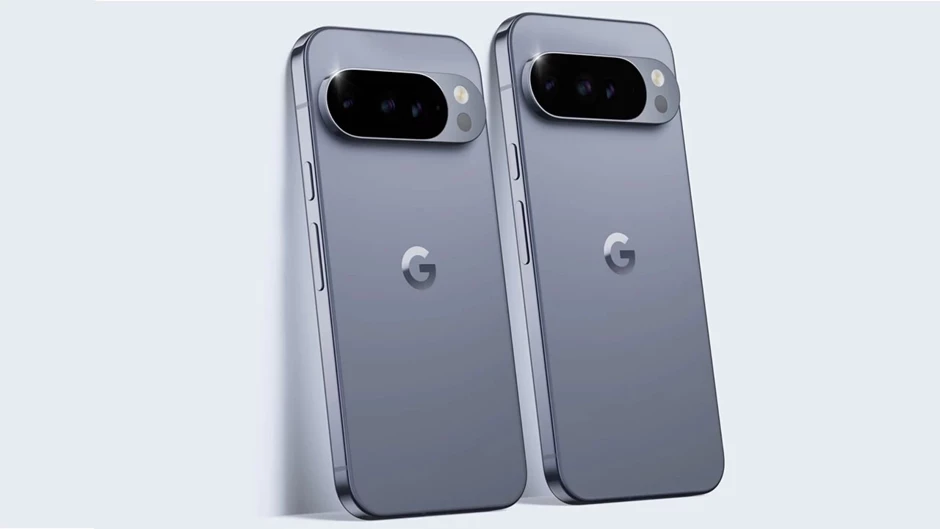
The Google Pixel 10 Pro is the smart financial pick. Its computational photography turns poor light into usable shots consistently. With Video Boost, your raw clips get cloud-processed for stabilization and refined clarity – this isn’t just minor tweaking. You gain a clean Android experience: zero bloatware hogging your RAM or battery. It demonstrates professional content doesn’t require a $1,500 flagship. Best for creators on a tight budget and users who prioritize reliable, AI-driven results over brand prestige.
The Software Studio
Hardware gets you in the door, but content creator apps are where the magic happens. Build your toolkit smartly.
Planning & Organization
Randomly shooting whatever catches your eye worked in 2015. Not anymore.
- Notion – Your all-in-one workspace for content calendars, shot lists, and brand deal tracking
- Trello – Visual boards that show your content pipeline at a glance
Shooting & Content Capture
Native camera apps are solid, but specialized tools unlock extra control:
- Most flagship camera apps let you manually adjust ISO, shutter speed, and focus
- Otter.ai for auto-transcribing interviews while you shoot – saves hours later
Editing & Post-Production
This is where your raw footage becomes content gold.
Video Editing
- CapCut – The free gorilla in the room. Auto-captions, trending effects, and templates that actually slap. It’s why every viral TikTok looks polished
- LumaFusion – $30 gets you a proper multi-track editor with keyframes, color correction, and audio mixing that rivals desktop software
- InShot – The middle ground for creators who find CapCut limiting but don’t need LumaFusion’s complexity
Photo & Graphics
- Canva – Non-negotiable. Thumbnails, story templates, brand kits. Canva Pro ($13/month) pays for itself instantly with the time saved
- Lightroom Mobile – When your photos need that professional touch
Polish & Text
- Grammarly – Because typos in captions kill your credibility
Distribution & Analytics
Creating is half the job. Getting seen is the other half.
- Later or Buffer for scheduling posts when your audience is actually awake
- Keywords Everywhere browser extension finds trending search terms so you’re not yelling into the void
Essential Creator Accessories
Even the best phone needs backup. Smart accessories multiply your capabilities without breaking the bank.
For Stabilization & Dynamic Shots: DJI Osmo Pocket 3
This pocket-sized gimbal camera is pure vlogging gear flex. That 1-inch sensor delivers cleaner footage than your phone’s secondary cameras, especially in dim lighting. 4K/120fps video looks incredible, and the 3-axis gimbal produces impossibly smooth tracking shots that make handheld phone video look amateurish by comparison. Pop it on your bag strap and you’re ready to capture anything.
For Professional Audio
Built-in phone mics pick up everything – wind, traffic, your breathing. Upgrade your audio game:
- Rode Wireless ME – Compact wireless lav system that clips to your shirt
- Shotgun mics for sit-down pieces where clarity is everything
Good audio isn’t exciting, but viewers will bolt if they can’t hear you clearly.
For Lighting & Power
You can’t control the sun, but you can bring your own:
- Portable LED panels adjust color temperature for any situation
- Clip-on selfie lights (made famous by creators like Alix Earle) give flattering lighting anywhere
- High-capacity power banks because dying at 2% mid-shoot is not an option
For Storage & Backup
Losing footage to a corrupted card or stolen phone is creator nightmare fuel.
- SanDisk 1TB Portable SSD – Fast transfers, multiple backups, fits in your pocket
- Always follow the 3-2-1 rule: 3 copies, 2 different media types, 1 off-site
FAQ
What is the single most important piece of tech for a mobile creator?
Your smartphone is everything. It’s the one tool you’ll use at every stage – from shooting to publishing. Buy the best camera and processor combo you can reasonably afford. A flagship phone from two years ago beats a current mid-ranger for creation work.
Can I edit professional-looking videos just on my phone?
You can edit pro-level video right on your phone, no question. Apps like CapCut and LumaFusion pack serious power, offering multi-track 4K editing, robust color grading tools, and effects that genuinely stack up against desktop software. Today’s flagship phones have the guts to handle it. The real constraints? You’ll want to watch for 12GB RAM minimum and ample storage – those 4K files eat space. The “shot on iPhone” campaigns proved it: the barrier isn’t hardware anymore, it’s skill. The phone is a legitimate studio, just pocket-sized.
Do I need both a smartphone and a dedicated camera like the DJI Osmo?
Not mandatory, but they complement each other beautifully. Your phone handles spontaneous content, photos, and quick edits. The DJI Osmo Pocket 3 specializes in ultra-stable video with superior audio inputs – perfect for planned vlogs and dynamic walking shots. Start with your phone; add the gimbal when you’ve outgrown shaky footage.
How much should a beginner invest in tech when starting out?
Zero new money, initially. Master your current phone and free apps like CapCut and Canva first. Learn by doing. Your first paid investments should be a $15 clip-on light and a $50 lavalier mic – these instantly level up production quality. Upgrade your phone and add gadgets like gimbals only after you’ve proven you’ll stick with creation.