

Looking to save money on school gear? Finding best budget tablets for students doesn’t mean settling for garbage. Whether you need something for notes, video calls, or binge-watching lectures at 2x speed, we’ve tested the top picks that won’t destroy your bank account. Here’s what actually works in 2025.
TL;DR
Here’s the short version:
- Best Overall for Students: Apple iPad (11th Gen, 2025) – The sweet spot between performance and price. Starts around $349 with education pricing.
- Best Budget Android Alternative: Samsung Galaxy Tab A9+ – Killer value at roughly $199. That 11-inch screen with 90Hz refresh rate shouldn’t exist at this price point, plus the S Pen support makes note-taking actually enjoyable.
- Best for Amazon & Media on a Tight Budget: Amazon Fire HD 10 (2023) – At around $140, it’s the cheap student tablet option for reading, streaming, and basic web stuff.
What Makes a Great Student Tablet?
Not all tablets are built for academic survival. Here’s what actually matters:
Performance & Battery Life
You need a device that can handle Zoom calls, twenty Chrome tabs, and that deadline paper without dying mid-lecture. Aim for 10+ hours of battery. Nothing worse than scrambling for outlets during back-to-back classes.
Note-Taking Capability
If you’re ditching physical notebooks, stylus support is non-negotiable. Look for palm rejection technology and decent note apps. Writing on a bad digitizer feels like scribbling with a crayon on wax paper.
Portability & Durability
Students beat tech up. Period. Between stuffing it in overpacked bags and the occasional coffee spill, your tablet needs to survive real-world chaos. Weight matters too – lugging around a brick gets old fast.
Software & Ecosystem
This is where things get messy. iPadOS gives you polished apps and long-term updates. Android offers more customization and better value hardware. Fire OS is cheap but limited. Pick based on what you already use.
The Accessory Factor
Here’s the catch: that $349 iPad doesn’t come with a stylus or keyboard. Budget in an extra $100-200 for those add-ons, or you’re basically buying a fancy YouTube machine.
Top Budget Tablets for 2025
1. Apple iPad (11th Gen, 2025)
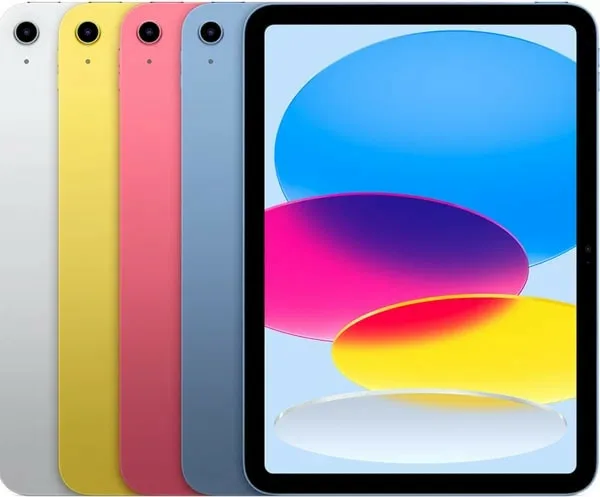
Verdict: If you can swing the price, this is the affordable tablet for school that’ll last through graduation and beyond.
The Specs That Matter:
- 10.9-inch Liquid Retina display (sharp enough for reading tiny PDFs)
- Apple A16 Bionic chip (same processor from the iPhone 14)
- 128GB base storage
- 10 hours of battery life
- iPadOS 18 with desktop-class Safari
Why Students Love It:
iPad’s app ecosystem is unmatched. Every education app works perfectly because developers actually optimize for iPadOS. GoodNotes, Notability, and Procreate.
Apple Pencil (USB-C) turns this into a legit note-taking powerhouse. The writing feels crazy natural.
The Downsides:
That $349 starting price jumps quickly once you add the $79 Apple Pencil and a $299 Magic Keyboard. Suddenly, your “budget” tablet costs $700+. Also, this model doesn’t get Apple Intelligence features or support for the fancy Apple Pencil Pro.
Best For: Anyone already using an iPhone, students in creative majors needing reliable apps, or folks who want a tablet that’ll still get updates in 2030.
2. Samsung Galaxy Tab A9+
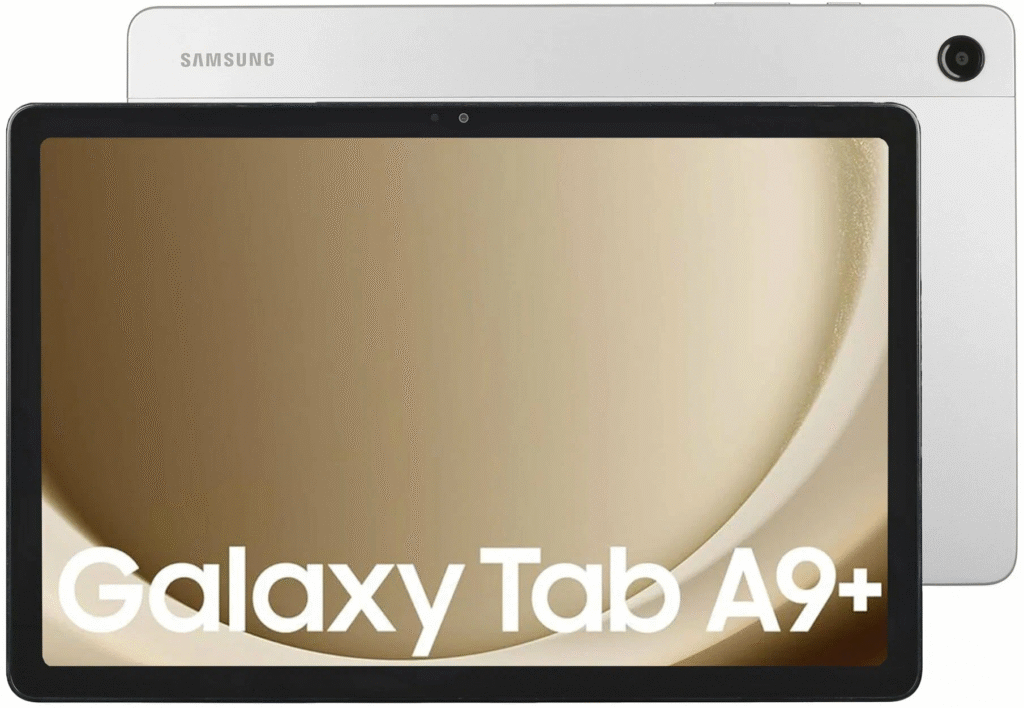
Verdict: The best bang-for-buck Android tablet. Period.
The Specs That Matter:
- 11-inch 90Hz LCD display (smoother scrolling than the iPad)
- Qualcomm Snapdragon 695 processor
- 64GB or 128GB storage + microSD slot (huge win)
- S Pen support included (though the pen itself might be separate)
- About 10 hours of battery
Why Students Love It:
That expandable storage is clutch. Drop in a cheap microSD card and you’ve got space for entire semesters of notes, recorded lectures, and your questionable music collection. The S Pen feels premium despite the tablet’s price, and Samsung’s multi-window feature lets you actually multitask like a real computer.
The 90Hz screen makes scrolling through documents noticeably smoother than standard 60Hz displays.
The Downsides:
Base model only has 64GB built-in storage (before expansion). Android tablet apps aren’t always optimized – some just look like blown-up phone apps. Samsung promises updates for up to 7 years on some models, but that’s still shorter than Apple’s track record.
Best For: Android phone users who want everything to sync seamlessly, students obsessed with handwritten notes, or anyone needing tons of storage without paying Apple tax.
3. Amazon Fire HD 10 (2023)
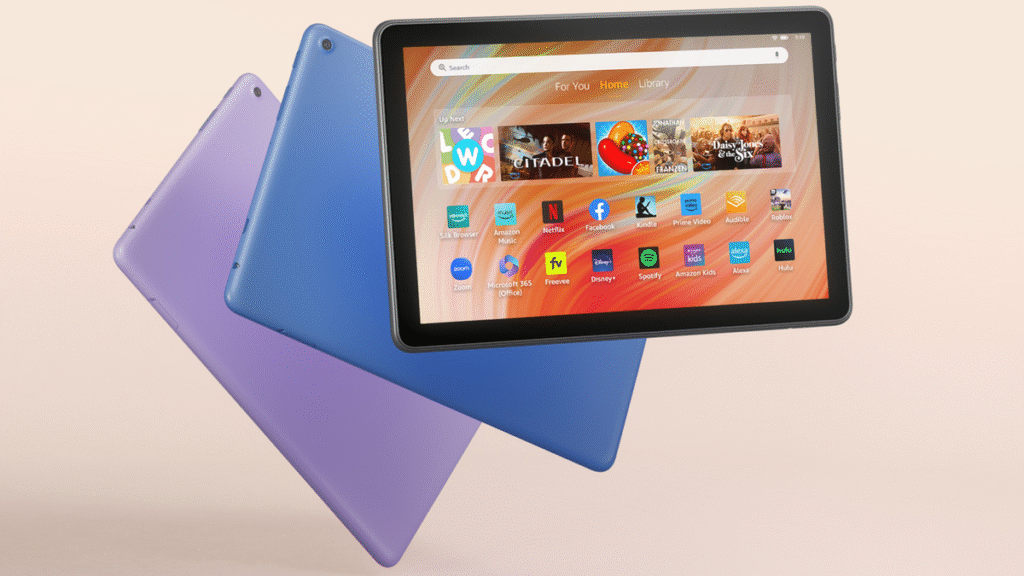
Verdict: Insanely cheap for what you get, but know the limitations going in.
The Specs That Matter:
- 10.1-inch Full HD display (1920 x 1200)
- MediaTek MT8186A processor
- 32GB or 64GB storage
- 13 hours of battery (best in this roundup)
- Fire OS (modified Android without Google services)
Why Students Love It:
At $140, it’s impulse-buy territory. Battery life is incredible – easily two full school days without charging. Perfect for reading digital textbooks on Kindle, watching recorded lectures, or streaming study music.
The Deal-Breaker:
Fire OS lacks the official Google Play Store. That means no standard Chrome, limited Microsoft Office, and many popular education apps straight-up don’t work. You can sideload apps, but it’s a hassle most students won’t bother with.
Best For: Students on extreme budgets whose main needs are reading, streaming, and basic web browsing.
Head-to-Head Comparison
| Feature | Apple iPad (2025) | Samsung Tab A9+ | Amazon Fire HD 10 |
| Starting Price | ~$349 | ~$199 | ~$140 |
| Operating System | iPadOS 18 | Android + One UI | Fire OS |
| Display | 10.9″ Liquid Retina | 11″ 90Hz LCD | 10.1″ FHD |
| Stylus Support | Apple Pencil (USB-C) | S Pen compatible | Basic stylus options |
| Key Student Perk | App ecosystem & longevity | S Pen + expandable storage | Price & battery life |
| Major Limitation | Expensive accessories | Mid-range performance | Limited app selection |
| Best Battery Life | 10 hours | 10 hours | 13 hours |
FAQ
Is a tablet enough to replace my laptop for college?
Depends on your major. A tablet with keyboard can handle it. Engineering, computer science, or video production? Not happening – you’ll need a real laptop with proper software. Microsoft Surface Pro 11 bridges the gap if you need Windows apps in tablet form, but it’s pricier.
How important is stylus support for note-taking?
If you’re a visual learner or your classes involve diagrams, math, or annotating PDFs, stylus support is game-changing. The Samsung S Pen and Apple Pencil both deliver that paper-like feel.
Which is better for students: iPad vs. Android tablet?
iPads win on software support and app quality. Your 2025 iPad will still get updates in 2030. Android tablets like the Galaxy Tab A9+ counter with better hardware value.
Can I use Microsoft Word and Google Docs on these tablets?
Full versions work perfectly on iPad and Samsung tablets through their app stores.
How many years should a budget student tablet last?
Target 4+ years minimum. iPads typically get software updates for 5-6 years. Samsung now promises up to 7 years on select models, though they’ve been less consistent historically. Amazon Fire tablets get maybe 3 years of security patches but fewer major OS updates. Plan accordingly.