


TL;DR
The real choice for most people narrows to two very different beasts. You’ve got the new Windows AI PCs, like the Microsoft Surface Laptop 7 – a total marathon runner on battery – versus the M4 MacBook Air, a machine locked into Apple’s slick but closed ecosystem. Both deliver killer performance, just in opposing ways.
Now, memory matters. 16GB of RAM is basically the baseline for anything beyond simple tasks. Seeing 8GB in a new machine? That’s budget-tier, period.
If you’re always on the move, prioritize two things: battery life and a stellar screen. An OLED display is chef’s kiss – it simply beats raw specs for daily use. Raw power means nothing if your laptop dies at 2 PM or the screen looks dull.
Finally, think long-term. Repairability is a huge deal now. Companies like Framework Laptop and Lenovo with its Space Frame design are game-changers. They give you a fighting chance to upgrade or fix your own device, which saves cash and cuts waste. It’s a quiet revolution in a throwaway industry.
Introduction
Shopping for a laptop in 2026? Cut through the hype. This guide strips down what you actually need to know how to choose a laptop 2026. It’s not just specs anymore.
Forget last decade’s rules. Battery life is now a brutal competition, Windows on ARM chips is finally solid, and Apple’s M-series keeps everyone scrambling. Your decision hinges on two things: your wallet and your daily workflow. We break down the real shifts, including the move toward true AI PC integration, to pinpoint your best laptop 2026.
The 2026 talk is just an extension of current battles: efficiency over raw power, and chips designed for specific tasks.
The Three Fundamental Questions

Before you even look at specs, nail these down:
1. What’s Your Primary Use Case?
Be honest. Are you:
- General productivity and web browsing?
- Student life (essays, research, Netflix)?
- Content creation (video editing, design work)?
- Gaming (AAA titles, high FPS)?
- Business travel (presentations, video calls)?
2. What’s Your Budget Range?
Let’s break it down:
- Budget laptop territory: Under $500 (Chromebooks, basic Windows machines)
- Mainstream sweet spot: $500-$1,500
- Premium/Pro tier: $1,500+
3. Which Ecosystem Do You Prefer?
- Windows: Flexibility, gaming, widest app compatibility
- macOS: Seamless integration if you’re in Apple’s world, legendary battery life
- ChromeOS: Simple, secure, perfect for cloud-first users
Matching Your Needs to the Right Laptop Type
The Everyday User & Student
You need reliability without breaking the bank. Here’s the baseline:
Key specs:
- CPU: Intel Core Ultra 5/7, AMD Ryzen 5/7, Apple M4, Qualcomm Snapdragon X laptop chips
- 16GB RAM (seriously, don’t cheap out here)
- 512GB SSD minimum
- 13-15″ screen
- All-day battery life is non-negotiable
2026 spotlight: The battery life battle is FIERCE. The M4 MacBook Air is trading blows with Windows-on-ARM machines like the Microsoft Surface Laptop 7 and Asus Zenbook A14. We’re talking 18-20+ hours of real-world use.
The Content Creator & Power User
You’re rendering videos, pushing pixels, or running VMs. Specs matter here.
Key specs:
- CPU: Intel Core Ultra 9/X9, AMD Ryzen 9, Apple M4 Pro/Max
- 32GB+ RAM (64GB if you’re serious)
- 1TB+ SSD (fast NVMe PCIe 4.0/5.0)
- Dedicated GPU: Nvidia RTX 40/50 series, AMD Radeon
- Color-accurate display (OLED or mini-LED)
2026 spotlight: The line between gaming laptop 2026 models and creator machines is blurring. MSI Stealth 16 AI+ and the upcoming Apple MacBook Pro (M5) handle both workflows beautifully.
The Gamer
FPS counts. Thermals matter. RGB is life.
Key specs:
- Top-tier mobile GPU (Nvidia RTX 5090 for the enthusiasts)
- High-refresh display (240Hz+ is standard now)
- Advanced cooling solutions
- Per-key RGB because why not
2026 spotlight: OLED panels have invaded gaming laptops. The Alienware 16 Area-51 showcases what’s possible – perfect blacks, insane response times, and colors that pop.
The Business Professional & Traveler
Security, portability, and that premium feel.
Key specs:
- Security features (TPM 2.0, biometric login)
- Under 3 lbs
- Optional LTE/5G connectivity
- Enterprise-grade webcam and keyboard
2026 spotlight: Ultra-portable innovation is exploding. Check out the Asus ExpertBook Ultra and the modular Lenovo ThinkPad X1 Carbon Gen 14 – both under 2.5 lbs with all-day battery.
What Really Matters in 2026
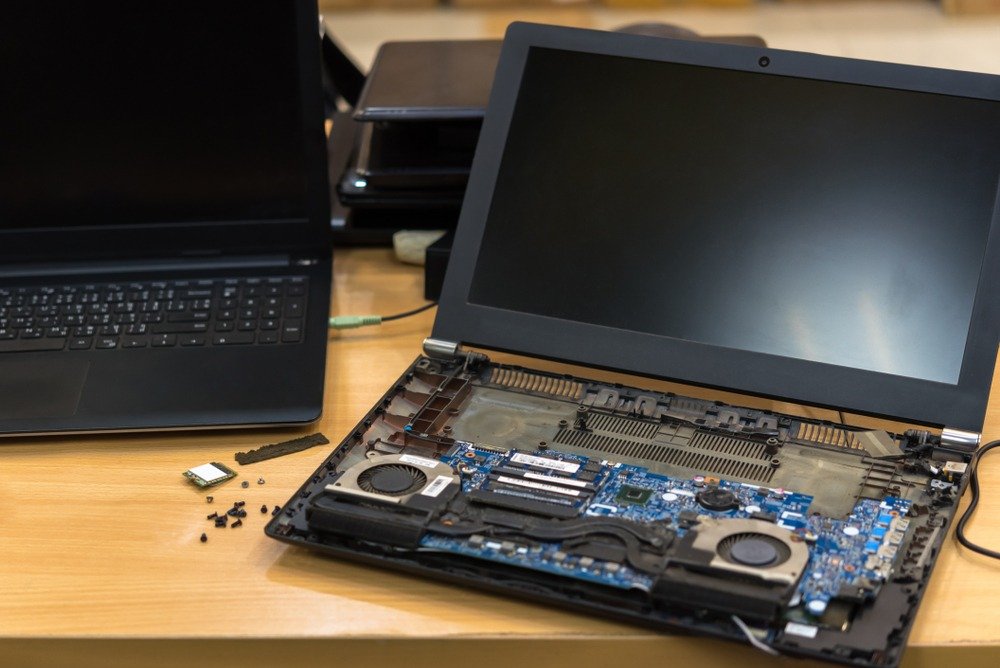
Processor (CPU): The Brain
Current chips split into clear philosophies. Apple’s M-series delivers scary-good efficiency. Intel’s Core Ultra pushes raw power and AI. AMD Ryzen AI offers solid value. Qualcomm’s Snapdragon X targets Windows laptops with extreme battery life.
The real shift is the NPU, or Neural Processing Unit. It’s a quiet revolution, handling AI tasks locally. This means faster, private AI features that don’t murder your battery. It’s becoming the key spec, fundamentally changing how computers are built.
Memory (RAM): Multitasking Muscle
Simple rules:
- 8GB: Bare minimum (Chromebooks, basic tasks)
- 16GB: The 2026 standard
- 32GB+: Content creation, heavy multitasking, VMs
Storage (SSD): Your Digital Library
512GB is the sweet spot for most users. 256GB fills up way too fast with modern games and apps. Make sure it’s NVMe PCIe 4.0 or 5.0 for speed.
Display: Your Window
What to consider:
- Resolution: QHD (2560×1440) balances sharpness and battery life
- Panel type: OLED for perfect blacks, IPS for reliability
- Refresh rate: 60Hz for productivity, 120Hz+ for smooth scrolling and gaming
- Brightness: 400+ nits for outdoor visibility
Battery Life: The Freedom Metric
Ignore manufacturer claims. Look for real-world reviews. The HP OmniBook 5 14 hitting 28+ hours? That’s the new benchmark.
Form Factor & Future-Proof Considerations
Traditional vs. 2-in-1 vs. New Concepts
Pick your style:
- Clamshell: Classic, sturdy, typically better cooling
- 2-in-1 convertibles: Lenovo Yoga 9i nails the flexibility
- Detachables: Asus ProArt PZ14 for tablet mode
- Experimental: Lenovo’s ThinkPad Rollable XD is wild (but wait for gen 2)
Ports, Upgradability, and Repairability
Ultraportables love cutting ports. Budget for a USB-C hub if needed.
Future-proofing hack: Prioritize machines with user-upgradeable RAM and storage. Framework Laptop and Lenovo’s new Space Frame designs let you swap components years down the line. That’s sustainability and savings.
Final Decisions
Here’s the insider knowledge when how to choose a laptop 2026 becomes “how to buy smart”:
- Last-gen models are underrated. Memory prices might spike in 2026. A discounted 2025 model with better specs? Sometimes the smarter play.
- Configure at purchase. Upgrading RAM/storage after buying (especially Macs) costs way more.
- Windows bloatware is real. Plan to spend 30 minutes uninstalling junk on a new Windows machine.
Laptop Specifications: 2026 Quick Reference Table
| Component | Budget | Mainstream | Premium |
| CPU | Intel N-series/Celeron, AMD Athlon | Core Ultra 5/7, Ryzen 5/7 | Core Ultra 9, Ryzen 9, M4 Pro/Max |
| RAM | 8GB | 16GB | 32GB+ |
| Storage | 256GB SSD | 512GB SSD | 1TB+ NVMe |
| Display | 1080p IPS | QHD IPS/OLED | 4K OLED/mini-LED |
| Battery Life | 6-8 hours | 10-14 hours | 15-20+ hours |
| Price Range | <$500 | $500-$1,500 | $1,500+ |
Final Checklist Before You Buy
- ✓ My use case and budget are crystal clear
- ✓ I’ve picked my OS (Windows/macOS/ChromeOS)
- ✓ CPU, 16GB+ RAM, and 512GB+ SSD check all my boxes
- ✓ Screen quality and battery life work for my lifestyle
- ✓ I’ve confirmed I have the ports I need (or ordered a hub)
- ✓ I’ve checked reviews from CNET, PCMag, TechRadar, or Wirecutter
Conclusion
That idea of one perfect laptop for everyone? It’s a myth. But your right machine exists. First, forget those endless benchmark scores. Pin down what you really need and set a firm budget. Too many get lost in a specs spiral, buying power they’ll never use. Ignore all the noise. Buy for your actual tasks, not some maybe-later scenario. That’s a practical strategy.
Now, take that buying guide. Your core requirements are the map to navigate it. Remember, needs have a way of evolving, but start with what’s true today.
FAQ
Is 8GB of RAM enough for a laptop in 2026?
Technically, 8GB of RAM will still run a laptop in 2026, but you’re gonna feel the pinch. It’s the absolute floor: sufficient for basic web browsing and a single lightweight application. For a machine to remain fast for the next 3-5 years, 16GB is the practical standard. Modern browsers like Chrome can easily eat 8GB for breakfast with just a handful of active tabs and extensions. Background processes and increasingly complex web content will further strain the system, leading to noticeable slowdowns during multitasking.
What’s the real benefit of an “AI PC”?
At its core, it’s about the NPU – a separate chip handling AI processes on your device, not in the cloud. Current perks are mostly in the fancy-toybox category: slicker video call backgrounds, live real-time translation, and easier AI photo editing. The real shift comes with software built to leverage this local power. By late 2026, developers will bake more responsive, private AI features directly into everyday apps. The benefit isn’t just new features – it’s autonomy. You’re buying a machine designed for software that doesn’t fully exist yet. That’s the practical meaning of future-proofing.
What’s the best laptop 2026 overall?
Picking a single best laptop for 2026 is a tough call. There is no one clear winner for everyone. Most people will decide between two main options. If you already use Apple products, an M4 MacBook Air makes sense. Its stellar battery life and easy connection to your other devices are big pluses. For a Windows machine, the Microsoft Surface Laptop 7 is a great choice. It offers perfect versatility and similarly long battery.
Gamers need dedicated hardware. Look for models from Alienware or MSI that include next-gen RTX 50-series graphics for strong performance.
Sticking to a budget? Consider a Lenovo IdeaPad or Acer Aspire. Just be reliable about one thing: get 16GB of RAM. That step helps ensure it stays useful longer. Ultimately, the expert choice depends entirely on your own needs and the tools you already use.
Should I wait for sales or buy now?
Buy now. If you can hold off, target Black Friday or back-to-school sales in July-August for the deepest cuts. Here’s the crucial bit: memory prices are forecast to climb sharply in 2026 due to industry-wide DRAM allocation shifts. That means last year’s models – often discounted to clear stock – could become real steals, outperforming newer units on pure value if you snag one before the cost hike hits. Timing is everything.