
Introduction
Mechanical keyboards have moved beyond trend status to legitimate daily tools. They reshape how you physically work with a machine. For newcomers, though, the scene is a total hardware rabbit hole. It’s a dizzying mix of switch colors (tactile bump vs. linear smoothness), cryptic layout percentages (where’s the number pad?), and endless acronyms (PCB, PBT, ABS). Let’s strip that down. This guide focuses on what actually affects your hands and workflow in 2026.
TL;DR
For gamers, speed is everything. You’ll want linear switches; they activate fast and feel like smooth ramps, no bumps. Office typists should consider tactile switches; they provide quiet, physical feedback without the click-clack that drives coworkers up the wall. Then again, if you’re a programmer, you might split the difference – a slightly heavier tactile switch can help avoid accidental keypresses during marathon sessions.
When choosing a keyboard, layout size matters as much as the switches. A full-size with its numpad is non-negotiable for number-crunching. But compact designs, like a TKL, seriously boost your setup. They free up desk space and cut down on excessive mouse reaching – your shoulder will thank you later. For true customization, prioritize hot-swappable sockets. They let you test drives switches without commitment; the journey from a tactile bump to a silent linear press is how you learn what your fingers actually need.
Why a Mechanical Keyboard is a Worthy Upgrade
Membrane keyboards work, but they’re basically a gummy mess. Keys feel vague – you never quite know when they’ve registered. They also wear down fast; that spongy resistance turns into a mushy tap in no time.
Mechanical keyboards flip the script with individual switches under every key. Each press is a distinct, physical event. That’s tactile feedback – you feel and hear the actuation point. It translates to better speed and fewer errors because you’re not bottoming out every time. Durability? The switches are rated for tens of millions of presses. One quality mechanical board can outlive a pile of its membrane counterparts. It’s about precision, not just input.
Benefits you’ll notice immediately:
- Better typing feel – Every keystroke has character
- Improved accuracy – Clear actuation points reduce typos
- Longer lifespan – Quality switches last 50-100 million presses
- Customization – Swap keycaps, switches, even program macros
Think of it like upgrading from earbuds to proper headphones. Once you experience the difference, there’s no going back.
Understanding Keyboard Switches
This is where most people get confused. Let’s simplify.
Linear Switches: Smooth and Fast
Linear switches feel smooth from top to bottom – no bumps, no clicks. They’re quiet (relatively speaking) and favored by gamers who need rapid-fire inputs.
Common examples: Cherry MX Red, Gateron Yellow
Best for: Gaming, quiet environments
Sound profile: Soft, minimal
Tactile Switches: A Noticeable Bump
Tactile switches give you a small bump midway through each press. You feel when a key actuates without having to bottom out. Great for typing all day.
Common examples: Cherry MX Brown, Gateron Brown
Best for: Typing, programming, general use
Sound profile: Moderate, satisfying thock
Clicky Switches: Audible and Tactile
Clicky switches combine the tactile bump with an audible click sound. They’re loud, borderline obnoxious in shared spaces, but incredibly satisfying for solo typing sessions.
Common examples: Cherry MX Blue, Kailh Box White
Best for: Home offices, enthusiasts who love the sound
Sound profile: LOUD. Your roommates will hear every keystroke.
Use this mechanical keyboard switches guide section to narrow down your preference before buying.
Finding Your Perfect Layout and Size
Full-Size (100%): The Traditionalist
Includes everything: numpad, function row, navigation cluster. Takes up significant desk space but offers maximum functionality.
Pros: Nothing’s missing, familiar layout
Cons: Large footprint, forces awkward mouse positioning
Tenkeyless (TKL/80%): The Space-Saver
Drops the numpad, keeps everything else. Popular middle ground for most users.
Pros: Compact, better ergonomics
Cons: No dedicated numpad (dealbreaker for accountants)
75% & Compact Layouts: The Modern Balance
The 75% layout has exploded in popularity. You keep arrow keys and function row while saving massive desk space. Ultra-minimalists go even smaller with 65% or 60% boards, but you sacrifice navigation keys.
Why 75% rocks:
- Arrow keys still accessible
- Function row retained
- Footprint barely bigger than 65%
- Perfect sweet spot for most users
Must-Consider Features for 2026
Connectivity: Wired, Wireless, or Both?
For serious gamers, tri-mode connectivity is a no-brainer. The USB-C wired link guarantees zero lag when it counts. Prefer freedom? The 2.4GHz wireless dongle delivers near-identical performance – no perceptible delay. Bluetooth is the weak link here; it can cause input lag that gets you chopped.
For office work, priorities flip. Bluetooth cleans up cable clutter and handles multiple device swaps easily. The minor latency won’t matter for spreadsheets or documents. Save the USB-C and 2.4GHz wireless modes for your gaming rig; at your desk job, the convenience trade-off is totally worth it.
The Hot-Swap Advantage
Hot-swappable sockets are game-changers. Pop switches in and out without soldering. Try different types, replace worn switches easily, customize per-key feel. If your budget allows, get hot-swap capability – you’ll thank yourself later.
Build Quality & Materials
Case materials:
- Plastic – Lightweight, affordable, can feel cheap
- Aluminum – Premium feel, better acoustics, durable
Keycap materials:
- ABS – Shiny over time, common on budget boards
- PBT – Textured, durable, resists shine
Higher price doesn’t always mean better, but quality materials improve daily experience significantly.
Programmability and Software
The Programmability and Software behind modern keyboards allow you to reassign keys and record macros. Some rely on proprietary apps, but enthusiast models support open platforms like QMK/VIA for granular control. Casual users might not care; power users and programmers, however, depend on it. They can geek out over scripting complex layers and shortcuts.
Top Mechanical Keyboard Picks for 2026
ASUS ROG Strix Scope II 96 Wireless
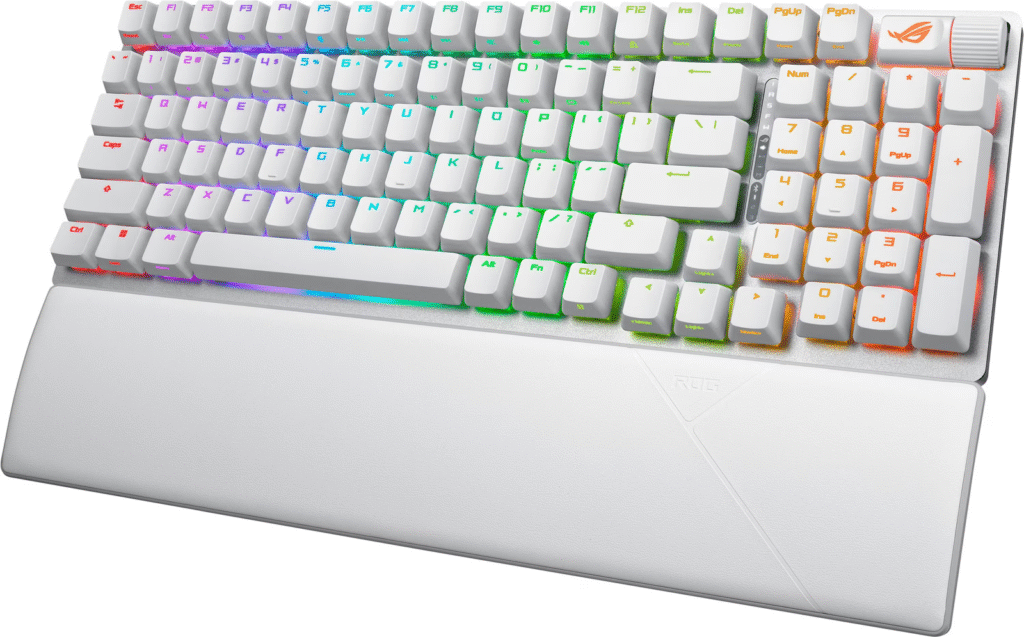
This board nails the gaming sweet spot. The 96% layout squeezes a numpad into a TKL-size footprint – weird at first, genius once you adjust. ROG NX switches (available in linear, tactile, clicky variants) feel snappy and responsive.
What makes it stand out:
- Tri-mode connectivity – 2.4GHz, Bluetooth, USB-C
- Hot-swappable switches – Experiment without commitment
- Insane battery life – Up to 1,500 hours wireless
- Compact but complete – Numpad included without full-size bulk
If you game hard but also type reports or code, this best gaming mechanical keyboard delivers versatility without compromise.
Keychron V Series (V3 Max / V5 Max / V6 Max)
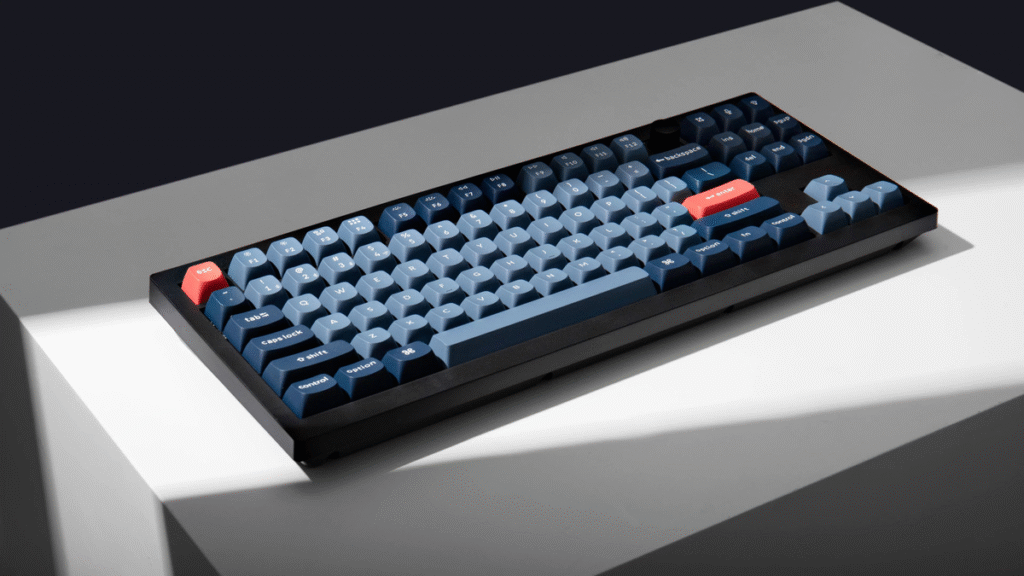
Keychron’s V Max lineup offers ridiculous value. Premium features at mid-tier prices, stellar typing experience out of box, cross-platform Mac/Windows support. These boards come pre-tuned better than keyboards costing twice as much.
Model breakdown:
| Model | Layout | Best For |
| V3 Max | TKL (80%) | Balanced size, most versatile |
| V5 Max | 1800-compact | Full function, minimum space |
| V6 Max | Full-size (100%) | Need that numpad daily |
All variants include:
- QMK/VIA support for deep customization
- Hot-swappable switches
- Quality PBT keycaps
- Wireless connectivity
- Rotary knob (programmable, super handy)
For pure typing pleasure and all-around excellence, V Series boards punch way above their weight class.
Razer Pro Type Ultra
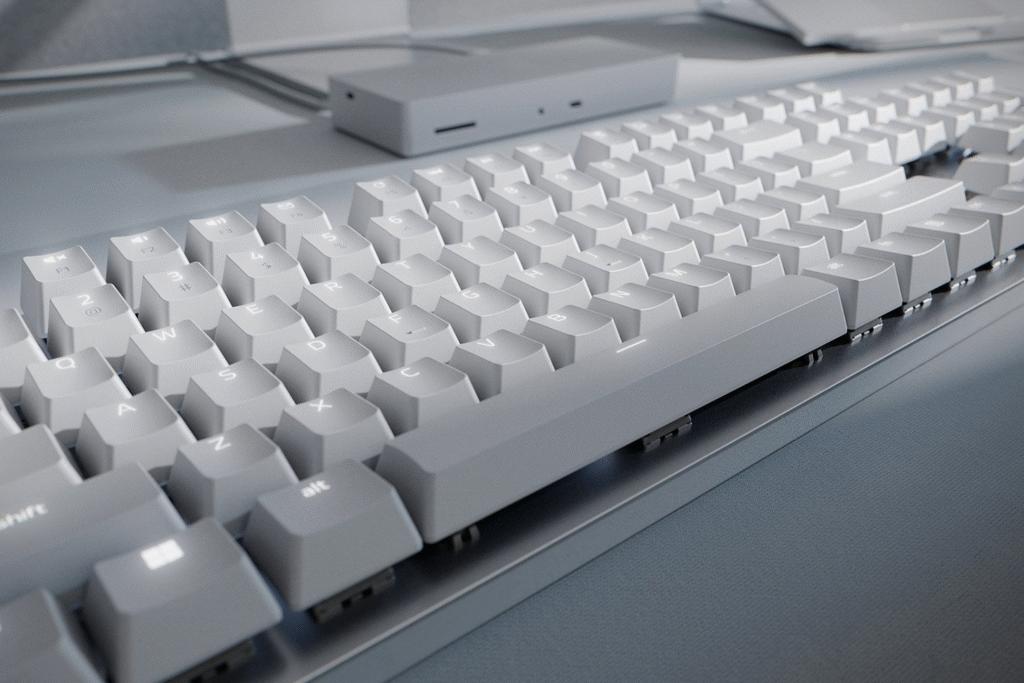
Most mechanical keyboards scream “gamer.” The Pro Type Ultra whispers “professional.” Razer engineered this specifically for quiet productivity environments.
Office-friendly features:
- Silent mechanical switches – Satisfying feel, minimal noise
- Wireless multi-device – Switch between computer and tablet seamlessly
- Included wrist rest – Plush, actually comfortable
- Clean aesthetics – No RGB nonsense (okay, subtle white backlighting)
This is the best office mechanical keyboard if you want mechanical benefits without drawing attention or annoying colleagues. Premium price, but worth it for all-day comfort and stealth operation.
Final Recommendations
Here’s a simple decision framework:
- What’s your primary use?
- Gaming → Prioritize linear switches, low latency
- Typing/Office → Focus on tactile switches, noise level
- How much desk space do you have?
- Limited → Go 75% or TKL
- Plenty + need numpad → Full-size or 96%
- Want to experiment with switches?
- Yes → Hot-swap is mandatory
- No → Save money, buy your preferred switch type
- What’s your budget?
- Entry-level ($80-120) → Keychron V Series
- Mid-range ($150-200) → ASUS ROG Strix Scope II 96
- Premium ($200+) → Razer Pro Type Ultra
Match your answers to the recommendations above. You can’t really go wrong with any of these picks – they’re all solid performers in their categories.
Wrapping Up
The 2026 mechanical keyboard market offers plenty of great picks. You don’t have to drop ridiculous cash or geek out on specs to upgrade your typing feel.
First, nail down your own needs: Primary use case? Desk space limits? Willing to customize switches? Align those answers with your shortlist. The right board doesn’t just perform – it disappears into your workflow, making every interaction smoother.
Your fingers will notice the difference. Enjoy the improved feel, whatever your task.
FAQ
What is the most important factor when choosing a mechanical keyboard?
Identify your primary use case first. Gaming demands different characteristics than typing or programming. Your use case determines ideal switch type, layout size, and connectivity needs. Everything else flows from that initial decision.
Are mechanical keyboards too loud for a shared office?
Linear switches, like Cherry MX Reds, are a decent pick – they slide down without that annoying click. Tactile switches, say Browns, give you a quiet bump for feedback. For a truly office-friendly board, some models use specifically dampened switches with extra rubber to kill the clack. Steer clear of Blues, obviously. The right choice balances your typing feel with not driving your coworkers up the wall.
Do I need a keyboard with hot-swappable switches?
Highly recommended if budget allows. Hot-swap lets you change switches without soldering tools or technical knowledge. Try different types easily, replace broken switches instantly, customize different zones with different switches. It’s future-proofing that pays off, especially for beginners still discovering their preferences.
What’s the actual difference between wired and wireless keyboards for gaming?
Modern 2.4GHz wireless connections have virtually eliminated latency issues. High-quality wireless gaming keyboards perform identically to wired in real-world scenarios. Bluetooth introduces more lag, so gamers should stick with 2.4GHz or wired. Battery life rarely becomes an issue with current technology – many boards last weeks on a single charge.